Penny Pulse for Android
A budget app that keeps your money data on your phone.
Plan each month from salary day to salary day, log spending in a few taps, and see what's safe to spend today. No account, no ads, no tracking.
Free. Android only for now.
A look inside
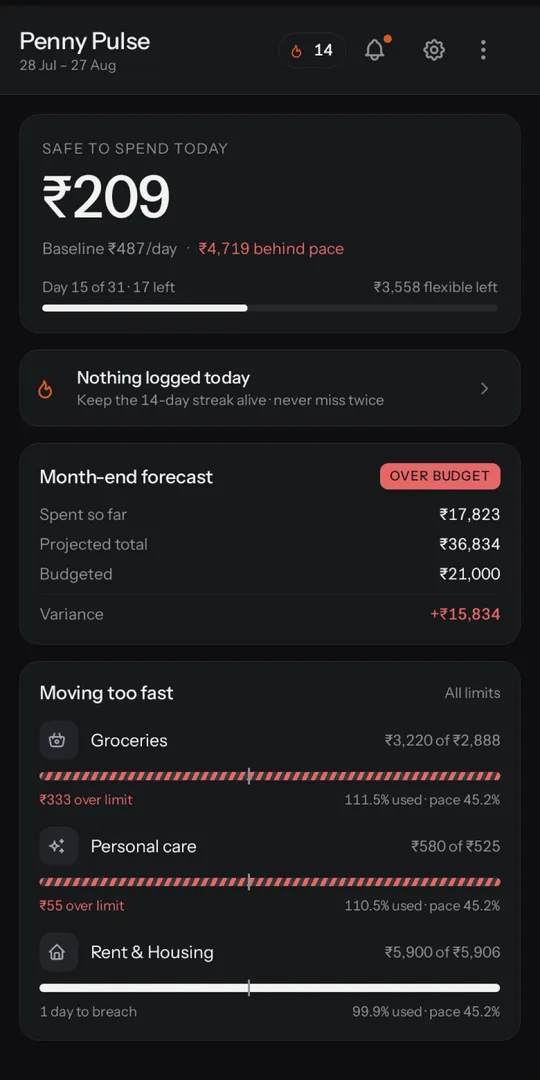
Home 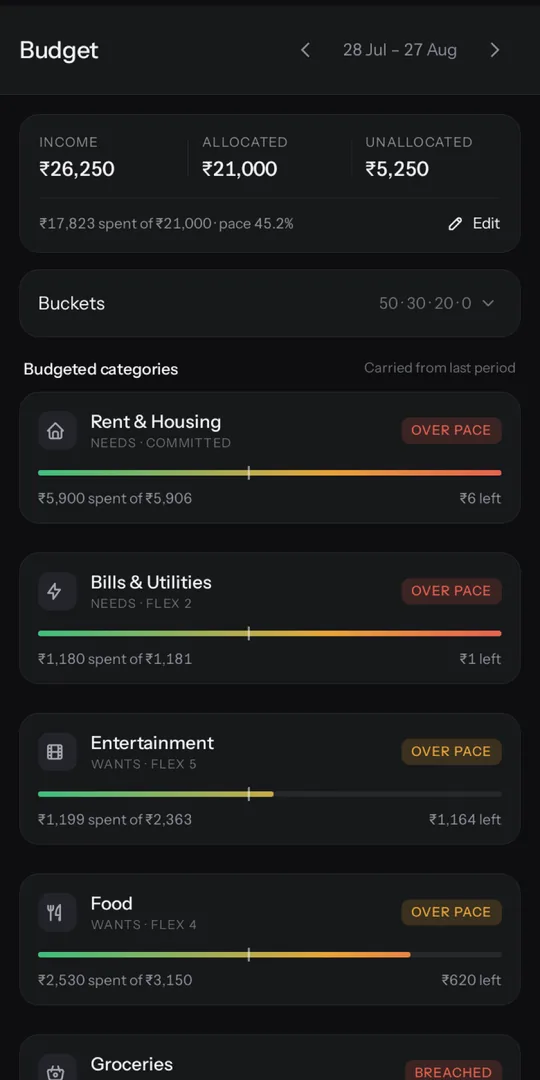
Budget 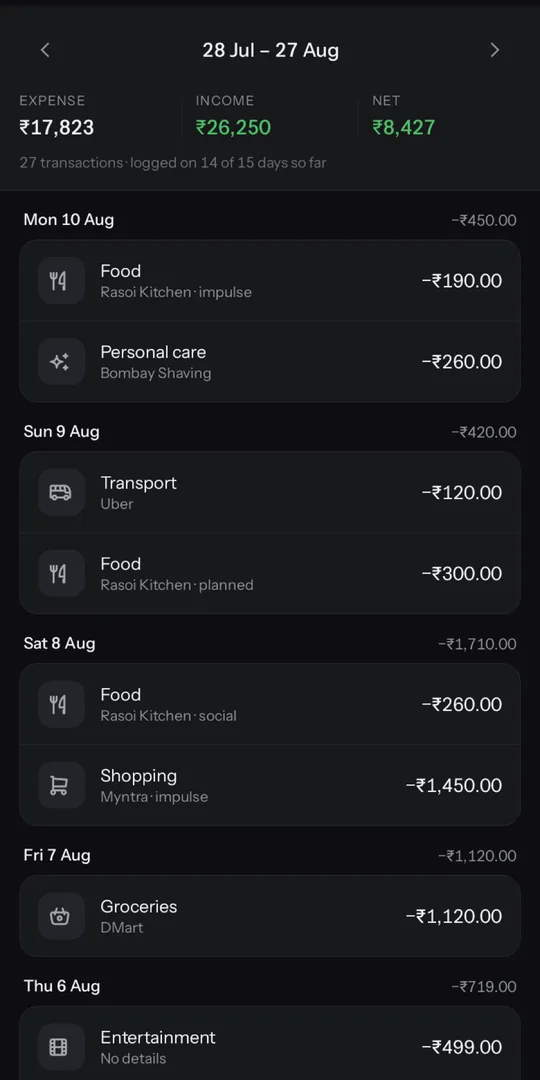
Records 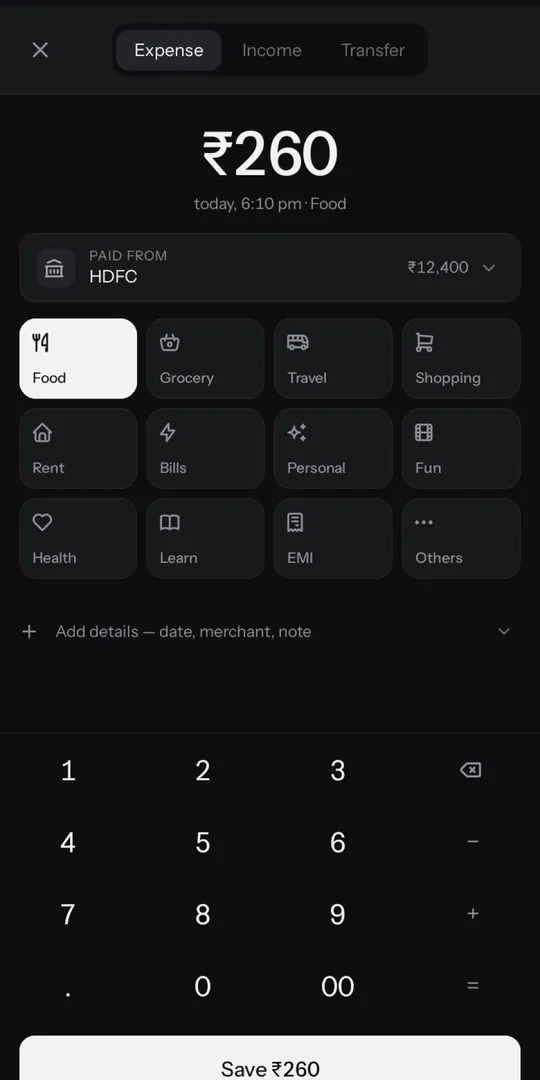
Add
What it does
-
Budgets that follow your salary date
Each budget month runs from one payday to the next, not the 1st to the 31st, so your plan matches when money actually arrives.
-
Add a transaction in seconds
Enter the amount, pick a category, done. A daily reminder at a time you choose helps you keep the habit.
-
App lock with PIN or biometrics
Require a PIN, fingerprint or face unlock to open the app, and hide its content in the recent-apps screen.
-
Encrypted backup to your own Google Drive
Optional. Your backup is encrypted on your phone with a passphrase you choose, then stored in a hidden app folder in your Drive.
Private by design
- No account to create
- No ads
- No analytics or tracking
- Your data stays on your phone
We don't run servers for Penny Pulse, so we never receive your transactions, balances or budgets. Read the full privacy policy.
Questions
Is it free?
Yes. Penny Pulse is free to download and use, and it has no ads.
Where is my data stored?
On your phone, in the app's private storage. The app works fully offline. Nothing leaves your phone unless you turn on Google Drive backup, and even then the backup is encrypted before it's uploaded.
What if I change phones?
Turn on Google Drive backup on your old phone. On the new phone, install Penny Pulse, choose "Restore from Google Drive", connect the same Google account and enter your backup passphrase.
What if I forget my backup passphrase?
It can't be recovered. The backup is encrypted with a key made from your passphrase, and we never see either, so nobody can decrypt it without the passphrase. Keep it somewhere safe. If you still have your old phone, you can export your data as JSON or CSV from Settings.
Is there an iOS version?
Not yet. Penny Pulse is available for Android only.